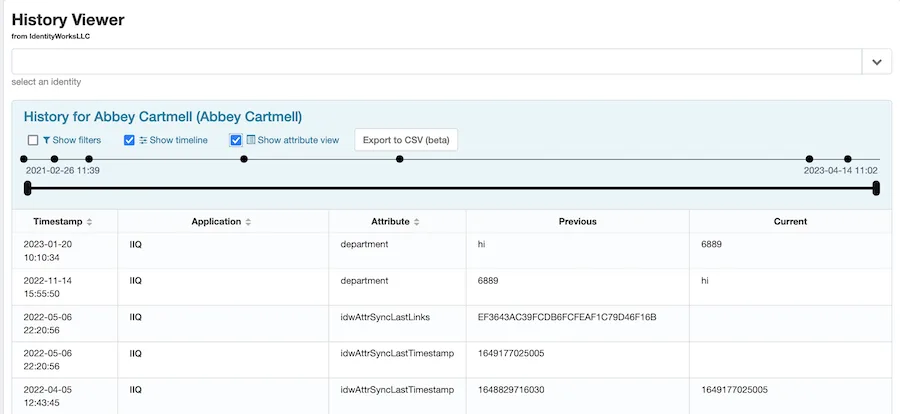

The History Plugin provides a History Viewer, a standalone plugin page that merges all sources of history for a given Identity. The viewer shows all Identity history data in a single, searchable timeline table! You can use the History Viewer to see attribute changes to a specific account, to view the details of a historical role assignment, or to analyze certification outcomes.
The History Plugin’s history viewer shows the following types of historical or audit events:
- Attribute changes detected by the scanner
- Access request details and outcome
- Account creation and deletion
- Role assignment and removal
- Lifecycle events
- Provisioning audit events (and provisioning transactions if they’re available)
- Certification triggers and certifier actions
- Any custom audit events specified in the configuration
- Native IIQ access history data
- Task results that mention the Identity (optionally)
The timeline can be narrowed from both ends to view only events within a certain span of time. You can specify custom security assertions, restricting certain users from seeing some or all types of events.
The example here shows access request, lifecycle, identity-level attribute change, and provisioning events.
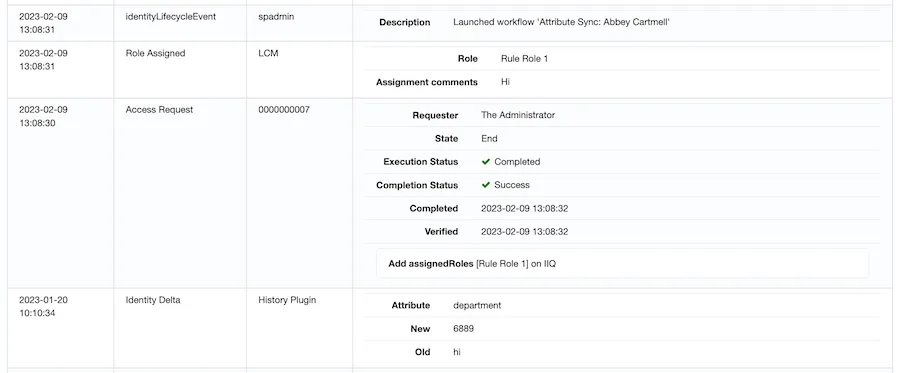
By checking “Show attribute view”, you can pivot the table into an alternative view showing a before-and-after change log for every Identity and Account attribute.