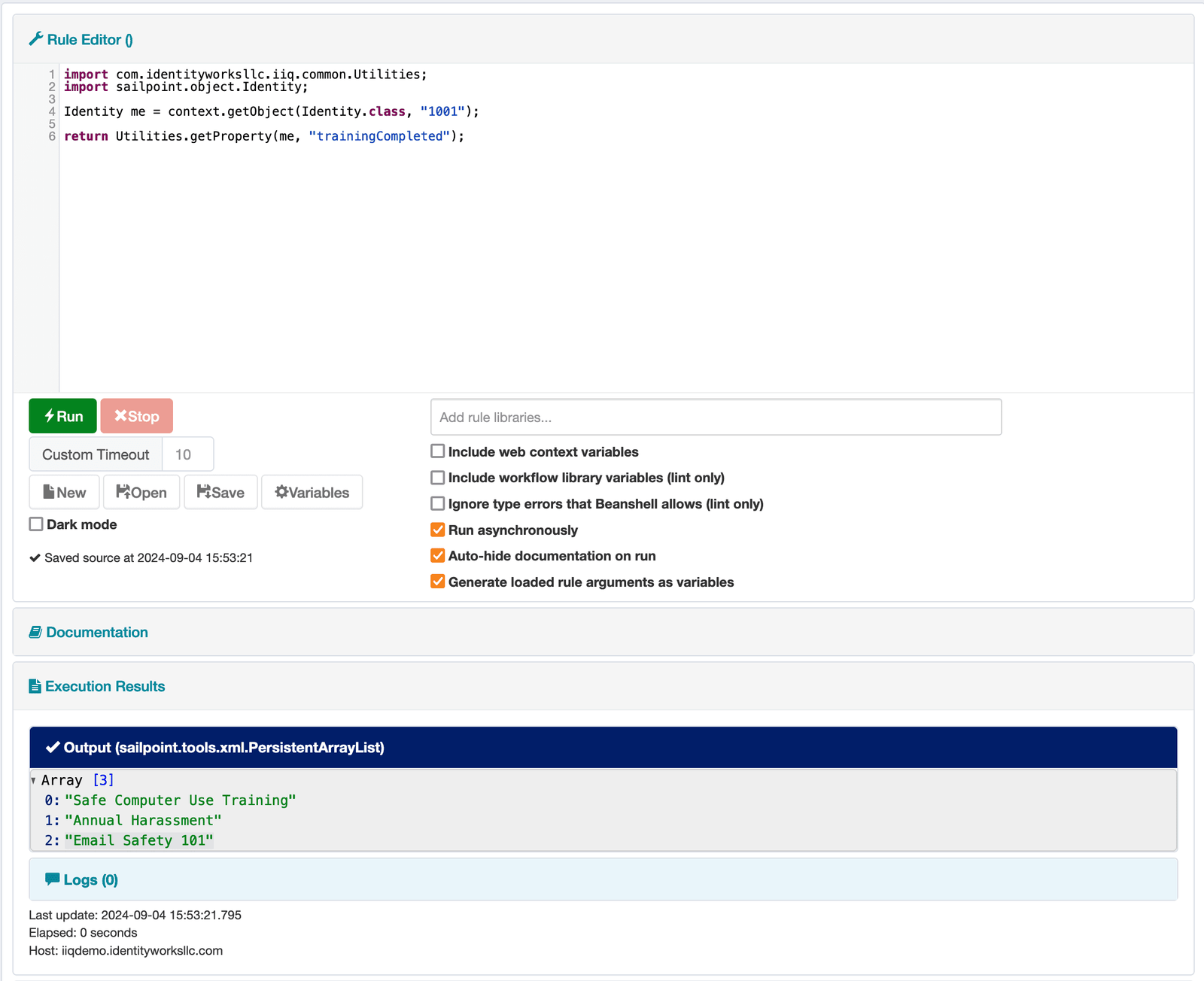

The Rule Runner plugin adds an in-browser IDE to SailPoint IIQ, allowing ad-hoc Beanshell code execution.
It is similar to the Debug pages’ “Run Rule” feature, but includes live syntax checking, simple auto-completion, execution history, background execution for long-running rules, and many safety features.
Simply type your code into the source code box and click Run. The plugin will display your rule’s output, whether success or failure, in the Execution results section. Output can be scalar, object, or XML format, or an error message, each of which render slightly differently.